Mobile applications make the world go round. Instant communication services are among the most popular apps on iOS and Android alike – US non-profit operation Signal has an estimated 40 million users, with the figure rising to 700 million for Telegram, another open-source messaging service. Meanwhile, Meta-owned WhatsApp is the undisputed global leader with an estimated two billion monthly active users.
But their popularity has also attracted the scrutiny of threat actors, keen to find a way to sneak malware onto your device. It could end up costing you and even your employer dear.
The cyber-risks of malicious copycat apps
Malicious developers have become pretty skilled at tricking users into downloading their wares. Often they will produce malicious copycat apps designed to mimic legitimate ones. They can then distribute them via phishing messages in email, by text, on social media or the communications app itself, taking the victim to a scam page and mislead them into installing what they believe to be an official app. Or they could direct users to legitimate-looking fake app that may occasionally make it through the strict vetting procedures on the Google Play marketplace. Apple’s iOS platform has a far more locked-down ecosystem and it’s even less rare for malicious apps to end up there.
At any rate, if you download and install a malicious app on you phone, it could expose you or your employer to a range of threats including:
- theft of sensitive personal data, which could be sold on the dark web to identity fraudsters
- theft of banking/financial information, which could be used to drain funds
- performance issues, because malicious apps may change the device’s settings and features and slow it down
- adware that floods the device with unwatched advertising, making it difficult to use
- spyware designed to eavesdrop on your conversations, messages and other information
- ransomware designed to completely lock down the device until a fee is paid
- premium-rate services which the malware may covertly use, racking up huge bills
- theft of logins for sensitive accounts, which could be sold to scammers
- corporate cyberattacks designed to steal your work logins or data, with a view to accessing sensitive corporate data or deploying ransomware

What ESET has seen
These threats have become increasingly widespread over recent years. Some are opportunistic attacks on a wide range of consumers, while others are more highly targeted. Among the most notable malicious copycat apps ESET has observed include:
- A 2021 fake update campaign that spread on WhatsApp, Signal and other messaging apps via phishing messages claiming the recipient could obtain a new color theme for WhatsApp. In reality, the WhatsApp pink theme was Trojan malware which automatically replied to messages received in WhatsApp and other messaging apps with a malicious link.
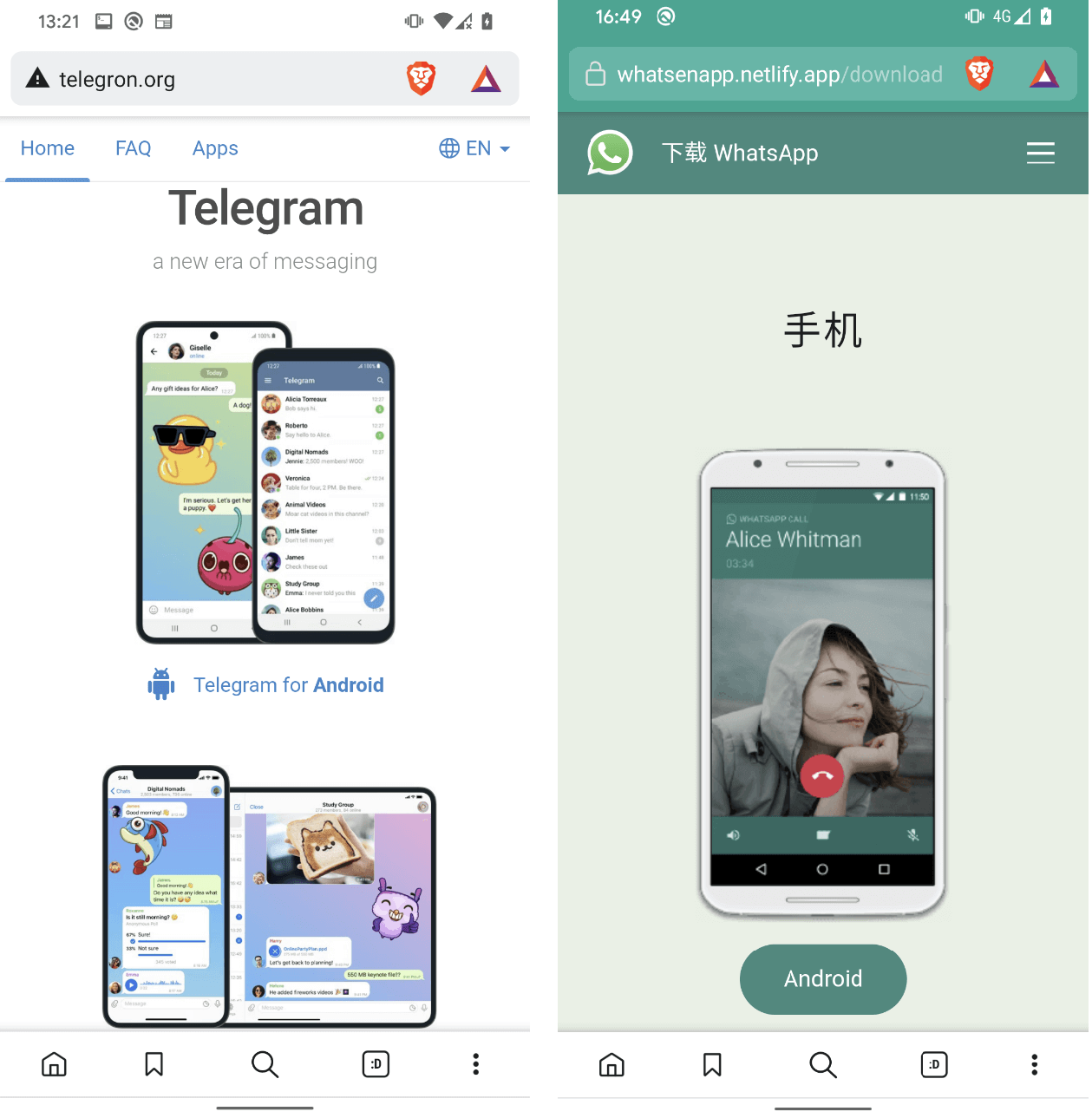
- Dozens of copycat WhatsApp and Telegram websites touting malicious messaging apps known as “clippers” – designed to steal or modify the contents of the device clipboard. Victims were first enticed by Google Ads leading to fraudulent YouTube channels, which then redirected them to the copycat websites. Once installed, the apps were designed to intercept victims’ chat messages in a bid to pilfer their sensitive information and cryptocurrency funds.
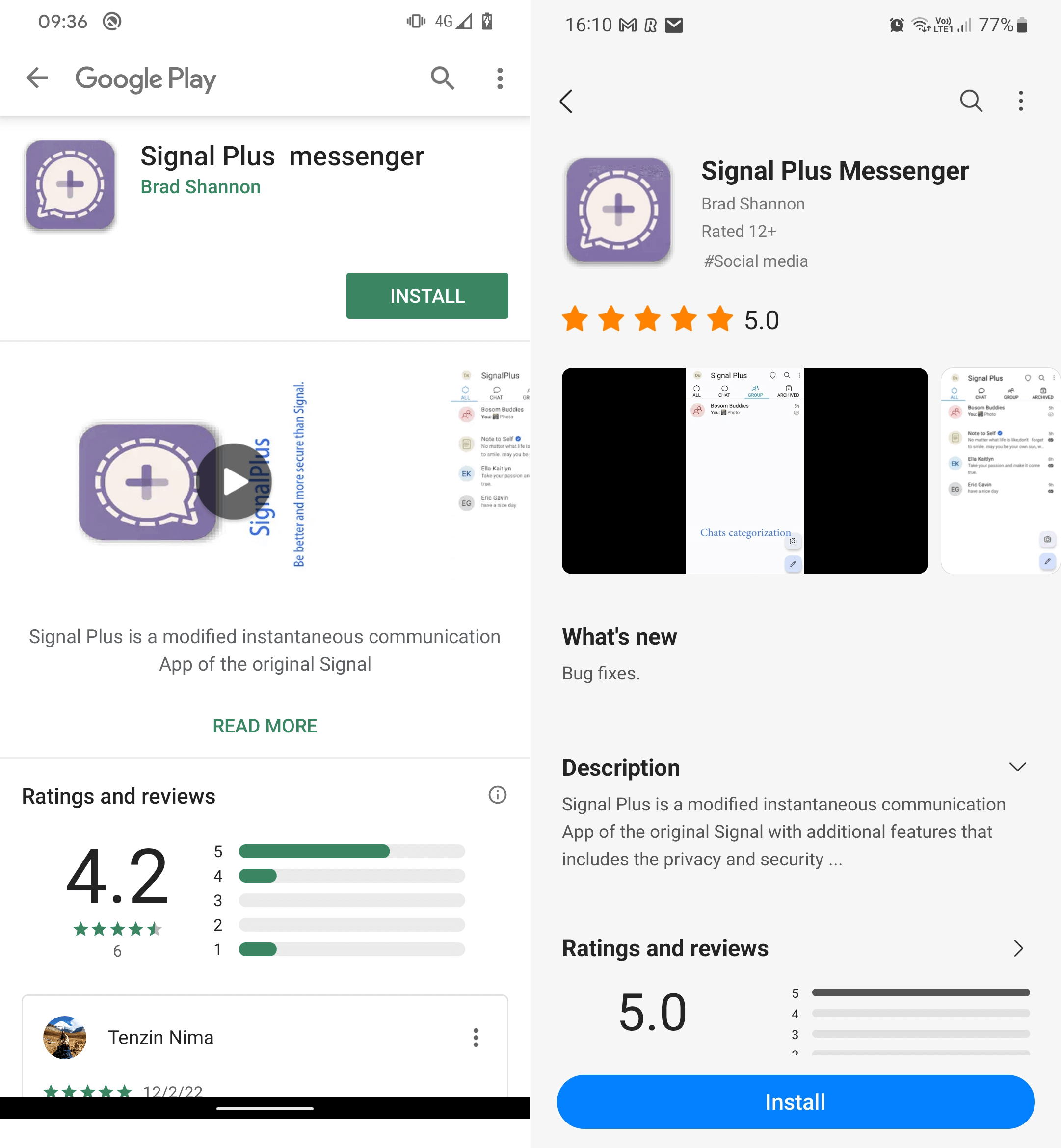
- China-aligned hackers hid cyberespionage malware known as Android BadBazaar inside legitimate-looking Signal and Telegram apps. Both app types made it through official vetting and onto the Google Play and Samsung Galaxy Store, before Google/Samsung were made aware of it.


Taking precautions against malicious apps
While WhatsApp explicitly bans unofficial versions of its app, the open-source Telegram encourages third-party developers to create their own Telegram clients. That can make discerning the real from the fake even more tricky for users. That said, there are several things you can do to reduce the chances of installing something nasty on your device.
Here’s a quick check list:
- Always stick to official Android app stores, as they have rigorous vetting processes in place to keep malicious apps off the platform.
- Always keep your mobile operating system and software on the latest version as malware will often try to exploit bugs in older versions.
- Before downloading, always check the developer’s reputation online and any reviews for the app – watching out for mention of scams.
- Uninstall any apps that you don’t use, so it’s easier to keep track of what’s on your device.
- Don’t click on links or attachments, especially if they appear in unsolicited social media messages or emails and invite you to download software from third-party sites.
- Avoid clicking on advertising online, in case it’s part of a scam designed to lead you to a malicious copycat app.
- Be wary of granting an app permissions that seem unrelated to its functionality, as it could be malware trying to access your data.
- Always use a mobile security solution from a reputable provider as this will help to block malicious installs and/or prevent malware working on your device.
- Consider using biometric logins rather than mere passwords on your accounts.
- Never download anything from high-risk sites, such as many adult entertainment or gaming platforms.

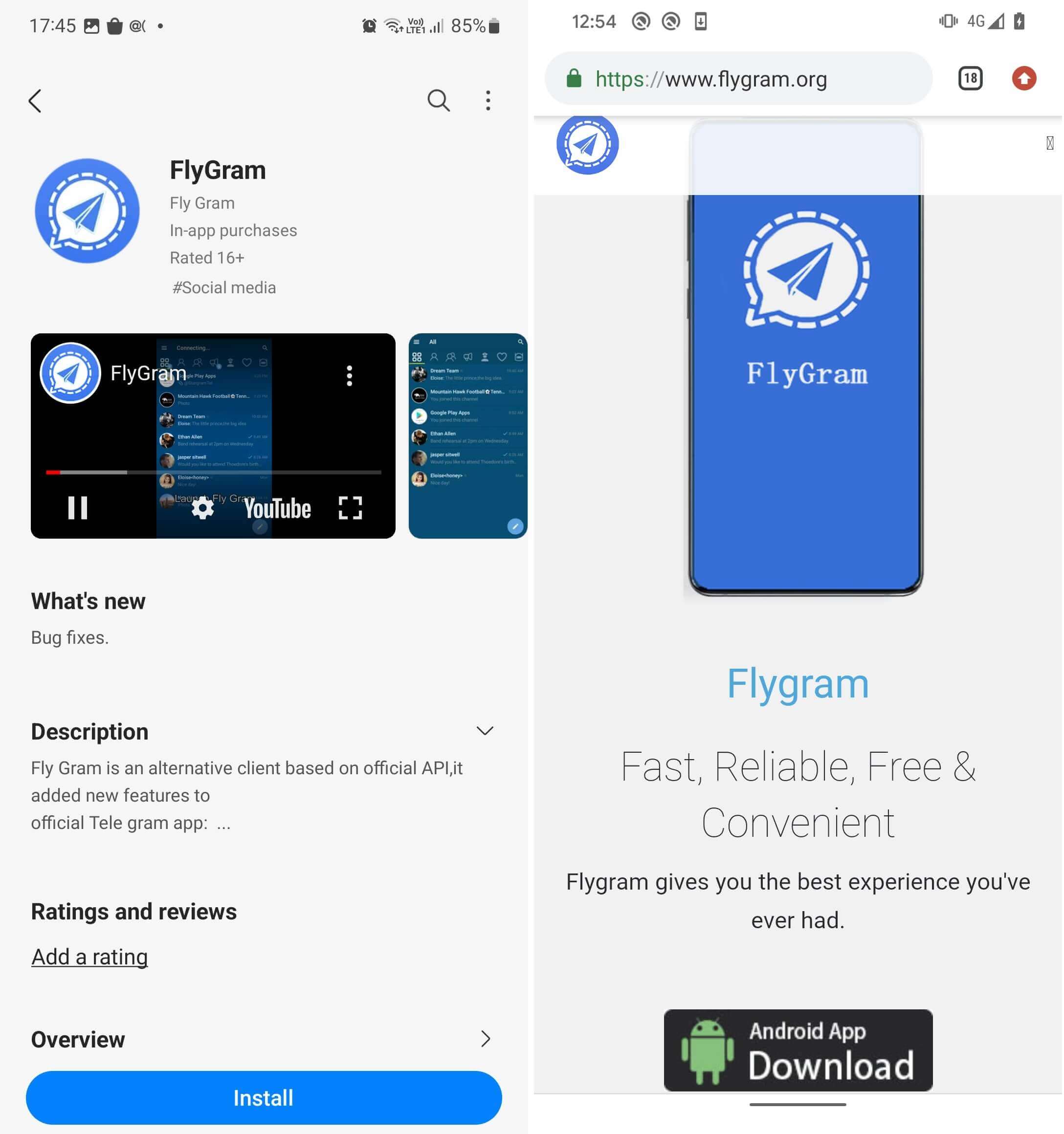
How to spot the signs of an imposter app
It also pays to be on the lookout for unusual activity on your device, in case malware slips through in spite of your best efforts. With that in mind, remember:
- If something doesn’t sound right about the app’s name, description and “official app” claims, or the developer’s pedigree, chances are high you’re dealing with an imposter app
- Be aware of persistent pop-up ads as it may mean you’ve installed adware
- Keep an eye out for any unusual icons on your screen which may have recently been installed
- Be aware of battery draining more rapidly than usual or other strange behavior
- Keep an eye on bills and data usage per month; anything excessively high could indicate malicious activity
- Understand that if your device is working slower than usual, it may be down to malware
Smartphones and tablets are our gateway to the digital world. But it’s a world we need to secure from uninvited guests. With these simple steps you’ll stand a much better chance of protecting your finances and your personal data. For a deeper dive into how to deal with fake apps, read our 7 tips for spotting a fake mobile app.